The right game, first
Keep all six active MapleStory series separated, so every click starts in the right world.
Choose the MapleStory game you play and move straight to verified updates, practical guides and useful tools—without mixing series or regions.

MapleStory · GMS
MapleStory news and updates bring announcements, patch notes and maintenance news into one verified feed.
Every hub keeps official destinations attached, labels regional context and never fills gaps with guesses.
Why players rely on MPStorys
Every hub keeps official destinations attached, labels regional context and never fills gaps with guesses.
Keep all six active MapleStory series separated, so every click starts in the right world.
See GMS, KMS, JMS, TMS and MSEA information with its server context intact.
Follow clear source links back to official and established destinations instead of relying on guesses.
MapleStory news and updates bring announcements, patch notes and maintenance news into one verified feed.
Index snapshot
These figures come directly from the current reproducible index—not invented marketing metrics.
Positioning comparison
Official sites, community wikis and specialist tools each excel at a different job. MPStorys connects those jobs in one series-aware starting point.
Compared by public product focus and functionality—not as a content-quality ranking.
| Dimension | MPStorys | Official sites | Community wikis | Specialist tools |
|---|---|---|---|---|
| Best used as | One organized starting point | First-party source of truth | Deep reference library | Focused utility |
| Series coverage | 6 active series in one hub | Separate sites for each title | Usually centered on PC MapleStory | Varies by tool |
| News and events | Collected into one searchable index | Authoritative within its region | Selected update coverage | Usually not the main focus |
| Guides and reference | Curated guides, wiki and source routes | Official guides where available | Core strength | Task-specific help |
| Player utilities | Tools beside the content they support | Availability varies | Mostly links and reference pages | Core strength |
| Region and language context | 5 regions · 5 interface languages | Split across regional sites | Coverage varies by community | Coverage varies by tool |
Player voices
The strongest feedback themes are about choosing the right series, understanding regional context, and keeping useful tools close to the content.
Let me choose my MapleStory first, so I do not have to keep checking which title every result belongs to.
Show the region clearly. An event is only useful when I know whether it applies to my server.
Keep guides, reference pages, and tools together so I can move from an answer to a plan without starting over.
These are editorially summarized, anonymous product-needs themes—not invented names, avatars, or star ratings.
Share your feedbackStart here
Choose the title you play to keep every recommendation, update and tool in the right game context.
01 · PCThe original side-scrolling MMORPG, with regional services, classes, bosses, events, progression guides and player tools.
 02 · PC
A new official classic-world experience currently moving through limited online testing, focused on early MapleStory progression.
 03 · Mobile
The mobile MMORPG adaptation with its own classes, progression systems, events, patch notes and global community.
 04 · PC
A PC MMORPG in the MapleStory Universe ecosystem with its own economy, marketplace, rankings, guides and updates.
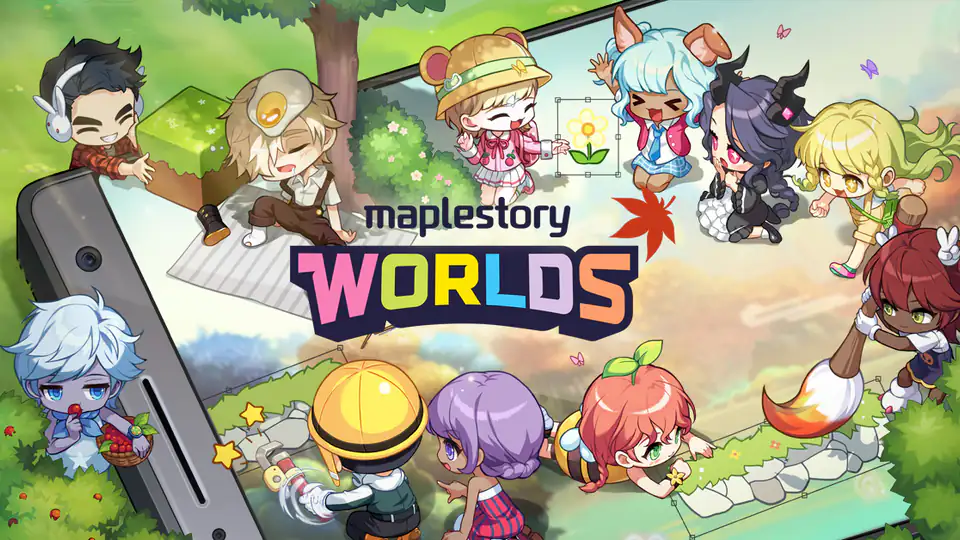 05 · PC · Mobile · Creator
A creation and play platform where players build worlds, publish avatar items and explore experiences made by the community.
 06 · Mobile
The official idle RPG adaptation built around automatic growth, familiar MapleStory characters and mobile-first play.
Coverage by game
Every MapleStory title has different systems, schedules and official sources. These series overviews explain what belongs in each hub, which information players can expect to find, and why MPStorys keeps similarly named classes, events and progression advice separated.
The main PC hub follows the original side-scrolling MMORPG across GMS, KMS, JMS, TMS and MSEA. It connects regional news, patch notes and active events with class and boss guides, progression references, rankings, calculators and practical player tools. Regional labels remain visible so a maintenance window, reward period or balance change is not accidentally applied to the wrong server.
Explore MapleStory guides and resourcesClassic World coverage focuses on the official global classic experience and its current testing stages. Players can follow test registration, eligibility, schedules, official announcements, early progression guidance and verified historical references without mixing them with modern PC systems. As Nexon publishes more information, the hub keeps dated test details and future service updates attached to their original sources.
Explore MapleStory Classic World guides and resourcesThe mobile MMORPG hub is built around its own rules rather than reused PC advice. It organizes mobile patch notes, events, beginner guides, classes, equipment systems, daily progression and official forum references. This separation matters because progression values, content schedules and character systems can differ substantially from the regional PC services, even when familiar names or visual elements appear in both games.
Explore MapleStory M guides and resourcesThe Universe PC hub brings together official documentation for its live game and connected services. Players can browse news, events, launch guidance, rankings, marketplace references, economy information and game-status tools. Verified documentation remains linked for account, service and marketplace details, while the dedicated collection prevents its economy and progression systems from being confused with traditional regional servers.
Explore MapleStory N guides and resourcesThe creator-platform hub serves both players exploring community experiences and creators building their own worlds. It tracks platform news, creator events, publishing policies, performance tools, localization guidance, avatar information and official community destinations. Creator documentation stays distinct from ordinary game guides so questions about building, testing, optimizing and publishing lead to the appropriate first-party reference.
Explore MapleStory Worlds guides and resourcesThe idle RPG hub follows the mobile adaptation and its independent progression loop. Players can find patch notes, seasonal events, chapter progression, automatic hunting, companions, artifacts, Party Quest information and official forum references. The separate collection keeps mobile-first systems, unlock conditions and event schedules clear instead of borrowing assumptions from either the original PC game or the other mobile MMORPG.
Explore MapleStory: Idle RPG guides and resourcesTen reasons to make MPStorys your starting point
One focused hub turns scattered MapleStory information into ten clear, useful paths—each one ready when you need it.
Choose your seriesKeep all six active MapleStory series separated, so every click starts in the right world.
See GMS, KMS, JMS, TMS and MSEA information with its server context intact.
Follow clear source links back to official and established destinations instead of relying on guesses.
MapleStory news and updates bring announcements, patch notes and maintenance news into one verified feed.
Find active and upcoming events with dates and the right game context kept together.
Move from a class, boss or progression question to a useful guide in fewer steps.
Open MapleStory calculators, Star Force simulators, planners and character utilities from one practical toolbox.
Look up systems, items and game knowledge without losing your place in the hub.
Check characters and ranking views from the same series-aware navigation.
Use English, Simplified Chinese, Traditional Chinese, Japanese or Korean navigation.
The complete MapleStory starting guide
MPStorys is designed as a high-context landing page for players who need more than a list of links. The guide below explains how to choose the correct MapleStory game, keep regional information separate, evaluate news and patch notes, plan events, use guides and calculators, and return to official sources when a detail needs confirmation. It turns the homepage into a practical map of the entire resource index while keeping every recommendation attached to a clear game, region and purpose.
01 · Series first
The MapleStory name now covers several games and platforms, but similar art, classes and terminology do not make their systems interchangeable. Original PC MapleStory, MapleStory Classic World, MapleStory M, MapleStory N, MapleStory Worlds and MapleStory: Idle RPG each have a different service structure. A guide that is accurate for one title may use the wrong client, progression values, event dates or account requirements for another. MPStorys therefore begins with a series choice instead of treating every search result as if it belonged to the same game.
A series-first route reduces the most common type of research error: finding a useful-looking answer without noticing that it describes a different product. The homepage places every active MapleStory title in a separate card, gives each one a dedicated news route, and offers direct paths to guides, events and tools. Once a series is selected, navigation keeps that scope in the URL so later pages can continue to show the correct context. This makes it easier to compare sources without carrying assumptions from another MapleStory game.
Confirm whether the page concerns PC MapleStory, Classic World, M, N, Worlds or Idle RPG before following instructions.
Use series-aware navigation so MapleStory news, guides, events and tools remain attached to the selected title.
Open the first-party source when account access, downloads, test eligibility, marketplace rules or service dates matter.
02 · News workflow
MapleStory news is most useful when the announcement, affected game, region and publication date stay together. A patch note may describe new content, balance changes, event rewards, bug fixes or system requirements, while a maintenance notice may only apply to a specific service window. MPStorys groups MapleStory news and updates into clear routes so players can begin with a concise briefing and then open the original publication for exact wording. The source link remains part of the record instead of being separated from the summary.
This approach matters because headlines alone rarely explain the complete impact of an update. A large patch may contain class changes, new progression systems, limited-time shops, reward claim deadlines and known issues in one document. A maintenance post can later receive corrections. A developer note may describe future direction rather than a live feature. MPStorys treats these as different kinds of information and avoids presenting a roadmap statement as if it were already available in the game. Dates, status and source type provide the boundary.
Patch notes, maintenance notices, known issues and future plans answer different questions even when they share a date.
Use the linked source to confirm corrections, extended maintenance, reward changes and other details that may be updated later.
A GMS announcement does not automatically describe KMS, JMS, TMS or MSEA timing, content or compensation.
03 · Event planning
MapleStory events often overlap. A single update can introduce login rewards, coin shops, growth missions, boss challenges, burning effects, seasonal minigames and limited claim periods. Reading the announcement once is not always enough to remember which task starts first or which reward expires earlier. MPStorys keeps event discovery beside MapleStory news and updates so players can move from an announcement to a practical view of active and upcoming content without losing the source context.
A useful event plan begins with four facts: the affected game, the server or region, the start and end window, and the action required from the player. Some events count participation automatically, while others require registration, daily claims, character designation or a final reward collection step. Time zones also matter. MPStorys does not guess missing dates and does not transform an uncertain schedule into a precise deadline. When the official source is incomplete, the safest result is a clearly labeled unknown rather than invented certainty.
Record registration, participation and reward-claim windows separately when the official event has more than one deadline.
Upcoming MapleStory content can change; keep test information separate from confirmed live-server rules.
Mobile, PC, Classic World, N, Worlds and Idle RPG events belong to different schedules even when themes overlap.
04 · Knowledge
A strong MapleStory guide should help with a specific decision. Players may need a class overview, boss requirement, equipment explanation, progression route, map reference or system definition. The best starting point depends on whether the question asks for a stable fact or a recommendation. Wiki-style references are useful for names, mechanics and structured details. Guides are better when the player needs priorities, trade-offs or a sequence of actions. MPStorys keeps both paths available and attaches sources wherever a claim can be verified.
Version and region remain important even for apparently universal topics. Class balance, level requirements, reward tables and system availability can change between MapleStory services or between patches. A guide that does not state its context may still contain useful ideas, but exact values should be checked before they influence expensive decisions. The series and region selectors help narrow the search, while source dates make it easier to recognize material that may need a current patch note or official reference.
Choose a wiki reference for stable facts and a guide for priorities, sequences, trade-offs and player decisions.
Verify exact costs, rates, requirements and reward tables before committing valuable MapleStory resources.
Use dated patch notes beside reference pages to understand why a current system differs from an older guide.
05 · Player tools
MapleStory tools are valuable because they turn a complicated system into an input, result and repeatable comparison. A Star Force simulator can demonstrate risk over many attempts. A calculator can compare expected costs or progression options. A checklist can preserve tasks that would otherwise be scattered across notes. A ranking view can help locate a character or class context. MPStorys places these utilities near the guides and references that explain what the numbers mean, reducing the gap between calculation and decision.
A simulator is not a guarantee. Random systems can produce results far from an average, and a calculator is only as accurate as its rates, assumptions and selected version. Players should check the displayed server or game before using a result. If the tool supports local saving, the saved state remains a convenience for returning to the same browser rather than an account-backed record. Clearing site data, changing devices or using a private window can remove local progress, so important plans should still be recorded separately.
A technically correct formula can still produce the wrong answer when rates belong to another MapleStory service or patch.
Use calculators to examine alternatives and sensitivity instead of treating one simulated outcome as a promise.
Browser-saved progress is convenient but may disappear when site data is cleared or the player changes devices.
06 · Regional clarity
Regional PC services can share major MapleStory concepts while releasing them on different dates or with different names, rewards and operational schedules. GMS information is not a universal default, and KMS information is not automatically a live preview for every other region. JMS, TMS and MSEA also maintain their own official announcements and calendars. MPStorys preserves regional labels so a player can understand where a source came from before using it as current advice.
Language and region are related but not identical. An English interface can display a source about a Korean service, while a translated summary still needs to retain the original region. Translation should make discovery easier without erasing source context. The site provides English, Simplified Chinese, Traditional Chinese, Japanese and Korean navigation, but canonical links, publication dates and official destinations remain attached to the underlying record. This helps multilingual players compare MapleStory updates without confusing translation with regional availability.
Confirm GMS, KMS, JMS, TMS or MSEA before applying dates, balance values, rewards or maintenance information.
Localized text should remain connected to the original source language, region and canonical publication.
Cross-region comparisons are useful when differences are labeled; silent mixing produces unreliable MapleStory advice.
07 · Source standards
A resource index becomes useful when every entry describes an exact page and an exact purpose. MPStorys prefers first-party sources, official documentation, established wikis and maintained specialist tools. Generic domains are less useful than direct links to the calculator, guide, announcement or reference a player actually needs. News, patch notes, events and independently addressable guides are treated as individual content records so they can be searched, dated and connected to their canonical source.
Verification also means respecting access boundaries. A page blocked by login, anti-bot controls or a paywall is not an invitation to bypass the restriction. The index records only what can be discovered lawfully and reliably, and it avoids private servers, cheats, exploits, suspicious downloads, account sales and other unsafe material. When a capability, region or date cannot be confirmed, a factual unknown is better than a confident guess. This standard keeps MapleStory search results focused on useful and defensible destinations.
A direct MapleStory calculator, article or guide is indexed separately when it has an independently useful purpose.
Unknown regions, features, repositories, access methods and event dates remain unknown until a reliable source confirms them.
Expired or replaced material can remain searchable when dates and status clearly distinguish it from current information.
08 · Repeatable process
First, choose the MapleStory series. Second, select the region when the question concerns the original PC game. Third, decide whether the need is current news, a scheduled event, a guide, a stable reference or an interactive tool. Fourth, read the on-site summary and note its date, status and assumptions. Fifth, open the official source before acting on a detail that affects spending, eligibility, deadlines or account access. This process is simple enough for daily use and strict enough to prevent many avoidable mistakes.
The workflow also helps when search results are incomplete. If no verified page answers the question, broaden the query inside the same series before switching products or regions. Search for the system name, an official terminology variant, the patch title or a source organization. Do not fill a missing answer with an unrelated MapleStory result merely because it is popular. A clearly scoped absence is more informative than a confident result from the wrong game.
Series and region define which MapleStory information can reasonably answer the question.
Choose news, events, guides, wiki references, rankings or tools according to the type of decision.
Use the attached official source for exact dates, costs, rules, downloads, eligibility and account requirements.
MapleStory FAQ
These answers explain the boundaries, sources and practical use of the MapleStory landing page.
MPStorys is a structured MapleStory series hub that connects news, updates, events, guides, wiki references, rankings, calculators, simulators, checklists and verified external sources. It is designed to help players begin with the correct game and region instead of searching unrelated sites from scratch. MPStorys summarizes and organizes information while retaining the canonical source for details that require confirmation.
The active scope includes original PC MapleStory, MapleStory Classic World, MapleStory M, MapleStory N, MapleStory Worlds and MapleStory: Idle RPG. Each title has a separate hub because clients, progression systems, schedules, economies, official sources and account requirements can differ. The original PC area also separates GMS, KMS, JMS, TMS and MSEA regional context.
No. Official sites remain the source of truth for account access, downloads, service status, maintenance, final patch rules, event eligibility and later corrections. MPStorys improves discovery by keeping summaries, dates, categories and direct source links together. When a decision has meaningful cost or a deadline, players should open the attached first-party page and verify the current wording.
Use the news hub to identify what changed, which game or region is affected, and which official article contains the complete details. Patch notes, known-issue notices, maintenance posts, developer notes and roadmaps should not be treated as identical. Check publication and revision dates, then confirm exact rewards, compensation, balance values and event windows against the linked source before acting.
Not always. General strategy can remain useful, but requirements, rates, rewards, class balance and system availability may vary across regions or change over time. Begin with the correct series and server, inspect the guide date, and compare exact values with current patch notes or official documentation. A guide without clear context should be treated as a starting point rather than final authority.
The site provides routes to calculators, simulators, planners, rankings, search and checklist features, including a Star Force simulator with local browser saving. Tool availability depends on the selected game and region. Results are planning aids rather than guarantees, especially for random systems. Confirm the version and assumptions before using a calculation to make an expensive in-game decision.
Local save features store progress in the current browser rather than a synchronized player account. They can help you close a tab and return later on the same browser, but clearing site data, using private browsing, changing profiles or moving to another device may remove the saved state. Keep a separate record when the plan is important or difficult to reproduce.
MPStorys does not guess missing event dates. A record can remain unknown or provisional until a reliable source confirms the schedule. When registration, participation and reward claims use different windows, each deadline should be considered separately. Players should also verify the official time zone and region because similar events can run on different calendars across MapleStory services.
The interface supports English, Simplified Chinese, Traditional Chinese, Japanese and Korean navigation. Localized browsing is intended to improve discovery without hiding where a source originated. Region, canonical URL, publication date and source organization remain important even after text is translated. This allows multilingual players to compare MapleStory information while preserving the evidence behind it.
Use the feedback route to describe the exact page, game, region and function that should be reviewed. A useful submission points to the canonical URL and explains what the page does. MPStorys checks exact URLs, duplicate records, source quality and safety boundaries before treating a destination as verified. Corrections are preferable to silently keeping an outdated or misleading description.
A dependable starting point
Choose the game, keep the region visible, match the question to the right module, and verify important details at the source. That sequence turns a large MapleStory information landscape into a repeatable workflow. MPStorys keeps the routes together so the next patch, event, guide or calculation begins with context instead of another round of scattered searching.
Your next session starts here
Choose your series and enter a hub built around the game you actually play.