

摘要
“04 Auto-Battle” is an official guide from MapleStory M Official News on 2023-02-06. Its canonical Nexon thread and publication metadata are retained for source-backed verification.
正文
|
Auto-Battle Guide |
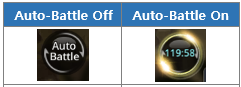
- Auto-Battle can be used by tapping the [Auto Battle] button on the lower part of the screen.
- You can use 2 hours of auto-battle for free every day which resets every day at midnight.
- Auto-Battle time can be recharged with the Auto-Battle Charge Ticket.
|
How to Use Auto-Battle |
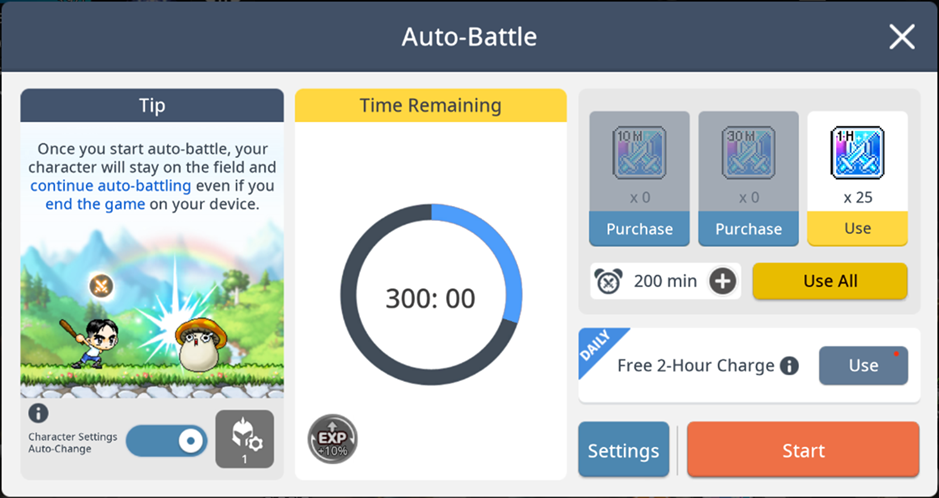
- When you're not in the middle of auto-battle, tap [Auto Battle] to see auto-battle information.
- Tap [Auto Battle] to check remaining auto-battle time and to recharge time.
- Remaining Time: You can check the remaining time and the time remaining until reset.
- Owned Charge Tickets: Lists the number of Auto-Battle Charge Tickets in your bag.
- Tap [Use] to use the Ticket immediately. Any Tickets with an expiry will be spent first.
- Free 2-Hour Charge: Free charge resets at midnight every day. Tap [Use] to recharge 2 hours for free.
- Use All: You can use all Auto-Battle Charge Tickets at once for the set duration.
- Character Settings Auto-Change: After selecting and activating the desired character setting, it will automatically switch to that setup during Auto-Battle.
|
Auto-Battle Tip |
- Keep in my the following details about Auto-Battle!
- Free Auto-Battles can by claimed by each character.
- The maximum auto-battle recharging time is 1,000 minutes, and its use will be limited when the max recharging time is reached.
- When the remaining auto-battle time exceeds 240 minutes, the free auto-battle time will not recharge.
- If the all-usage setting cannot be applied exactly as configured, the system will charge the maximum possible amount within the set parameters.
- If the number of Auto-Battle Charge Tickets you own is less than the configured all-usage time, all available tickets will be used for charging.
- If all-usage exceeds the remaining usage time limit, the system will charge up to the maximum value without exceeding 1000 minutes.
此系列的更多內容
這筆攻略內容僅屬於 MapleStory M。下方相關頁面也按此系列獨立整理,不會與其他 MapleStory 作品混用。
來源與核驗
上方已在本站顯示可閱讀正文;來源頁面只作為引用與後續更新核驗。
MapleStory M Official News