

摘要
“10 V Matrix” is an official guide from MapleStory M Official News on 2023-02-06. Its canonical Nexon thread and publication metadata are retained for source-backed verification.
正文
|
V Matrix |
01. What is the V Matrix?
- Available after completing the V Quest, the V Matrix is a new system to manage Nodes you receive from Nodestones.
- Equip Nodes through the V Matrix to both enhance your current skills, as well as obtain new, more powerful ones.
- Please review the information below to learn more about Nodestones and Nodes.
02. How to Use the V Matrix
- After a Lv. 200 or higher character completes the V Quest, they can access the V Matrix via [Skills] or [Menu > V Matrix].
03. V Matrix Management
- Nodes can be equipped and unequipped.
- You can enhance Node slots, as well as reset slot enhancements.
|
V Matrix Slots |
01. What are V Matrix Slots?
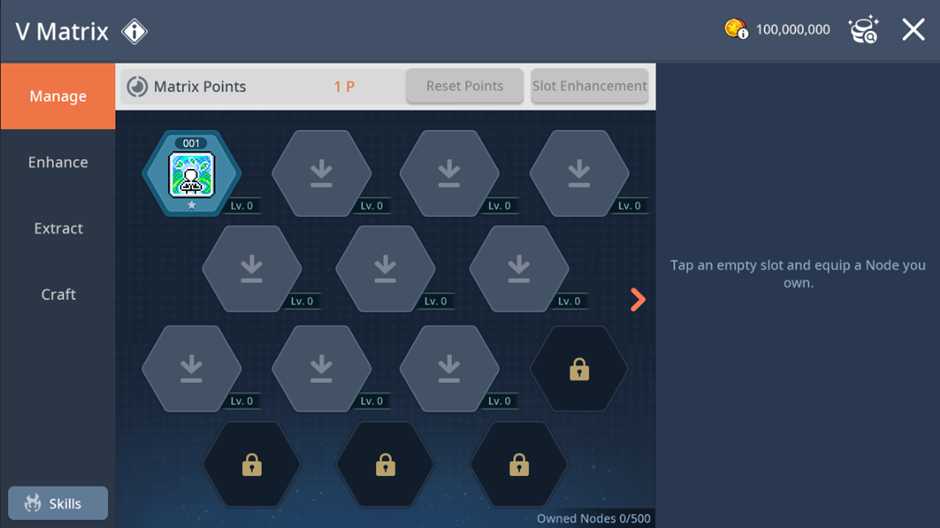
- V Matrix slots allow you to equip Nodes. Tap an equipped Node to display its type, rank, and EXP info on the right side of the menu.
02. Enhancing Slots and Resetting Slot Enhancements:
▶ Enhancing Slots
- Starting from Lv. 200, You can use Matrix Points, given through level ups, to enhance your slots.
A. You will receive 1 point per level up in 200 ~ 219 level range.
B. You will receive 2 points per level up in 220 ~ 259 level range.
- Tap the slot you wish to enhance, then tap [Enhance Slot]. You can enhance slots up to Lv. 5.
- Equipping a Node to an enhanced slot will strengthen the Node's skill by adding the slot's level to the Node's Rank.
- V Matrix slots change color depending on their level.

▶ Resetting Slots
- Tap the slot you wish to reset, then tap the [Reset Points] button to reset the slot.
- The Matrix Points used for enhancement will be refunded once the slot is reset.
▶ Expanding V Matrix Slots
- The V Matrix initially has 10 open slots, and slots unlocks for free every 5 levels afterwards.
A. In 205 ~ 230 level range, 2 V Matrix slots will open every 5 levels.
B. In 235 ~ 270 level range, 1 V Matrix slot will open every 5 levels.
- You can use Mesos to unlock up to 4 slots early.
- Unlocking slots with higher level requirements early costs more Mesos. The closer your character level is to the requirement level, the lower the cost (10% per level).
Ex) A Lv. 203 character opening a Lv. 210 slot will have a 30% reduced cost compared to a Lv. 200 character.

|
V Matrix – Node |
01. Equipping and Unequipping Nodes
- Tap a V Matrix slot to equip a Node you own, change Nodes, or to unequip a Node currently equipped to the slot.
02. V Matrix - Enhancement
- You can enhance equipped Nodes.

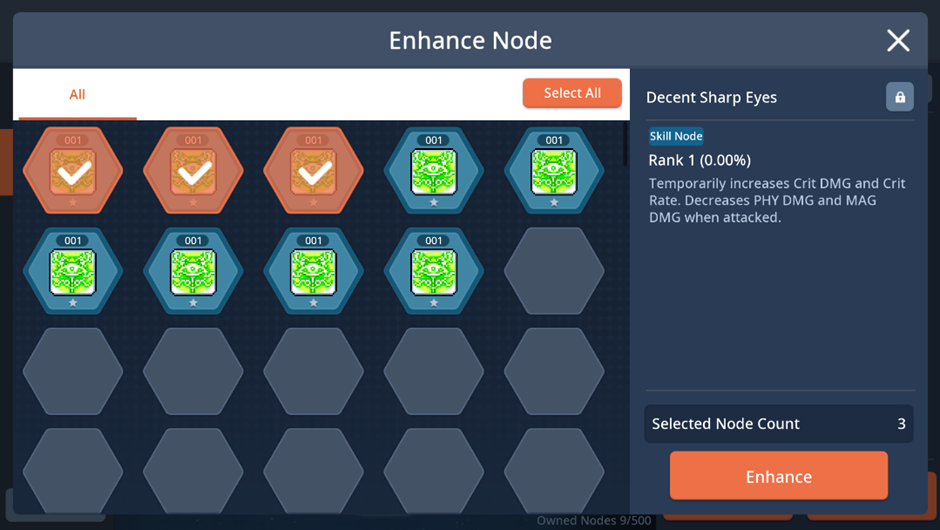
- After selecting a Node, tap [Enhance] and select Nodes to use as enhancement material.
- [Enhance All] button will enhance all Nodes currently available for enhancement.
- In the case of a Node that can be enhanced, it will show a red dot.
- Nodes will be enhanced upon selecting number and type of enhancement material.
03. V Matrix - Extraction

- You can select up to 500 unequipped Nodes for Extraction.
- You can obtain a set number of Node Shards depending on the type of Node you extract.
A. Skill Node: 40 Node Shards
B. Boost Node: 10 Node Shards
C. Special Node: 20 Node Shards
There is a ‘Select All’ function to convenient extraction.
- When using the ‘Select All’ function, all nodes except locked nodes, Condensed Experience nodes, and equipped nodes are selected for extraction. Once extracted, nodes cannot be restored, so please be careful.
- When using the ‘Select All’ function, it will select up to 50 nodes in order from top left to right.


04. V Matrix - Crafting
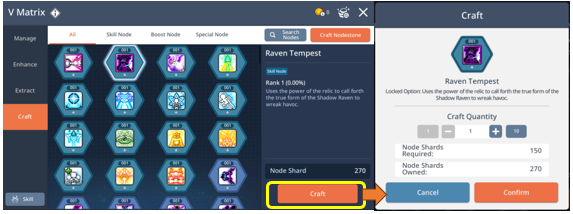
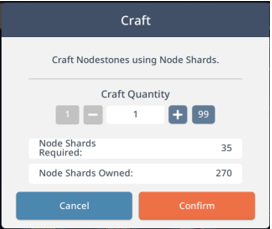
- Use Node Shards to craft new Nodes and craft Nodestones.
- You can craft up to 10 Nodes of the same type at once, or craft up to 99 Nodestones at once.
- Crafted Nodestones can be stored in Storage or registered at the Trade Station.
05. V Matrix - Lock
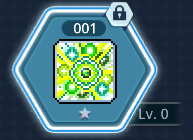
- You can lock owned Nodes from the [V Matrix > Manage or Enhance] tab.
- Locked Nodes cannot be extracted or used as enhancement material. However, Nodes can be enhanced regardless of Lock status when used as the base Node.
|
Nodestones |
01. What are Nodestones?
- Nodestones are consumable items that give Nodes.
- Nodestones can be obtained from hunting in Arcane River areas. Obtained Nodestones can be stored/moved in Storage or registered at the Trade Station.

02. How to Obtain Nodes
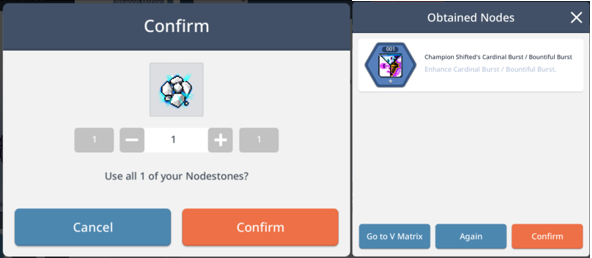
- Nodes can be obtained by using Nodestones, which grant one Skill, Boost, or Special Node based on individual probability.
- When Skill Nodes are obtained, only those nodes that are particular to the character’s job will be obtained.
03. Node Types
▶ There are 3 types of Nodes with different attributes: Skill Nodes, Boost Nodes, Special Nodes.
A. Skill Nodes
- Active skills that can be obtained after completing the V Quest. Can be enhanced up to stage 25.
B. Boost Nodes
- Nodes that enhance 1st-4th Job advancement skills. Can be enhanced up to stage 25.
- Boost Nodes can enhance up to 3 skills with a single Node.
- Reaching Lv. 20 and Lv. 40 on a Boost Node grants additional stats. The bonus effect will apply to that Node's skills only.
- Each Node can be enhanced up to stage 25, but boosted skills can only be raised up to Lv. 60.
| Boost Node Level | Bonus |
| Lv. 20 | 10% PHY/MAG DMG based on Job |
| Lv. 40 | 15% DEF Ignore Rate |
C. Special Nodes
- Time-limited skills that do not affect the character's own skills. Typically, passive skills that trigger in certain conditions.
- Special Nodes cannot be enhanced, and only 1 Special Node can be equipped at a time.
此系列的更多內容
這筆攻略內容僅屬於 MapleStory M。下方相關頁面也按此系列獨立整理,不會與其他 MapleStory 作品混用。
來源與核驗
上方已在本站顯示可閱讀正文;來源頁面只作為引用與後續更新核驗。
MapleStory M Official News