

Summary
“21 Home” is an official guide from MapleStory M Official News on 2023-03-15. Its canonical Nexon thread and publication metadata are retained for source-backed verification.
Article body
01. What is [Home]?
[Home] is a space where you can place furnishings and change exterior decorations.
- The [Home] quest is activated upon reaching Lv. 150.
- Select [Menu] > [Home] to enter your Home.
- If one of your characters has already activated a [Home] by completing the Home quest, other characters from that world can use [Home] without completing the prerequisite quest.
- Tap the inside of your [Home] to move your character there.
- Homes can be created once per World, and not shared between Worlds.
|
How to Use [Home] |
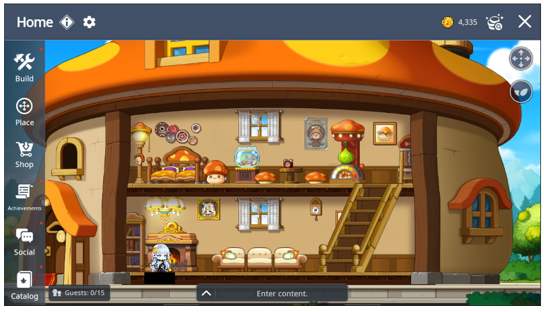
| Menu | Description | |
|
| Build | Home [Expansion] and Change [Exterior Design] |
|
| Place | Place furnishings and characters |
|
| Shop | Purchase furnishings with Home Coins |
|
| Achievements | Claim achievements and achievement rewards |
|
| Social | Create Guest Book and Invite Friends |
|
| Catalog | View your furnishings and exterior designs |
|
| Camera Pans | Move Screen Feature Settings |
|
| Decor Score Rewards | View Decor Score Reward Stage Info |
|
| Style Effect | View Exterior designs style effects’ info |


01. Build
▶ Expand
- You can use the [Expand] feature to expand your Home in [Build] > [Expand]
- Your Decor Score must be higher than 50 to use the feature.
- The following features are applied upon expansion.
| Function | Before Expansion | After Expansion |
| Floor Expansion | Floor 1 | Floor 2 |
| Placeable Characters | 2 Characters | 4 Characters |
| Exterior Design | Cannot be changed | Can be changed |
| Max Visitors | 5 Characters | 15 Characters |
| Placeable Tiles | Floor 1 - 16x6 Tile | Floor 1 - 24x6 Tile Floor 2 - 24x6 Tile |
▶ Exterior Designs
- You can change your Home's exterior in [Build] > [Exterior Design]
- You can use this feature upon expansion.
02. Place
▶ Furnishings
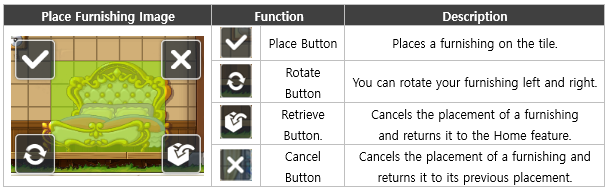
- You can place your furnishings wherever you'd like in the [Place] > [Furnishing] tab.
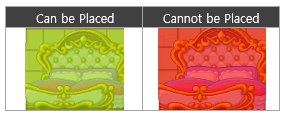
- Wall Art and Floor furnishings can be placed in the same tile, but plain furnishings cannot. You can confirm if the furnishing can be placed in a location as shown below.
- Furnishings are categorized as 'Floor furnishings' and 'Wall furnishings'. 'Floor furnishings' must be placed on the Home's floor tile.
- Your Home Decor Score is increased based on the Decor Score of your placed furnishings.
▶ Characters
- You can place your other characters within the same world in your Home via the [Place] > [Character] tab.
- Only characters Lv 150 or higher can be placed.
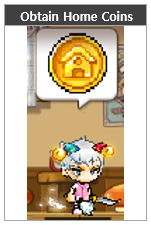
- You obtain 50 [Home Coins] per placed character. (Resets every day at 00:00.)
03. Shop
You can purchase furnishings from the [Shop] > [Furnishing Shop] tab.
▶ Style Shop
- You can purchase small and large furnishings of each style in the Style tabs.
- Upon purchase, 1 furnishing of that style and size will be selected and delivered to your Home Bag based on set rates. Deliveries will take 3 hours for small furnishings and 6 hours for large furnishings.
▶ Misc Furnishing Shop
- Other purchases can be made in a Shop selling ladders and stairs.
- You can obtain the furnishings you select immediately. There'll be no delivery time.
04. Decor Score
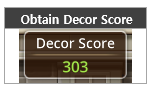
- Place a furnishings to obtain its Decor Score.
▶ Decor Score Rewards
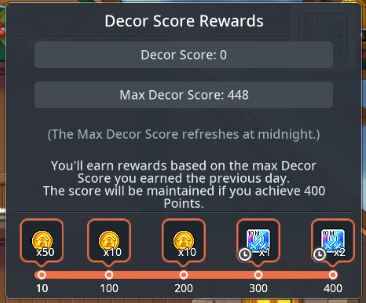
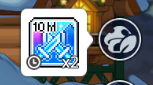
- With the acquired Decor Scores, you can receive the highest-available stage’s rewards the next day after 00:00, which is claimable once per day.
- You can earn a reward once per day based on the highest Decor Score you achieved the previous day. The reward will correspond to the highest reward tier available for that score.
- Decor Score stage rewards can be viewed by tapping the Decor Score menu to display the Decor Score pop-up.
| Decor Score Rewards Pop-up | Decor Score Reward |
|
|
|
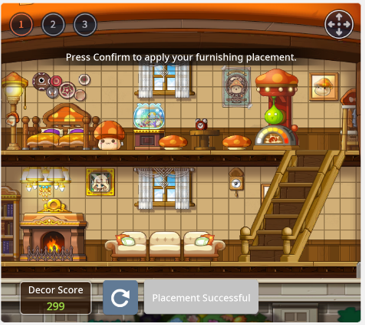
- The real-time Decor Score can be checked via the [Place] > [Furnishing] menu and in the Decor Score Rewards popup displaying the current score.
- The current Decor Score is the total score of all furniture currently placed.
- The maximum Decor Score is recorded at 00:00 and remains unchanged even if you modify your furniture layout afterward.
▶ Home Style Effects
- Unlocked when you expand your Home. Tap the Home Style menu in the Home UI to use it.
| Menu Before Expansion | Menu After Expansion |
|
|
|
| Menu Unavailable | Menu Available |


- Tap the Home Style menu to display the Home Style pop-up on the right side of the Home UI.
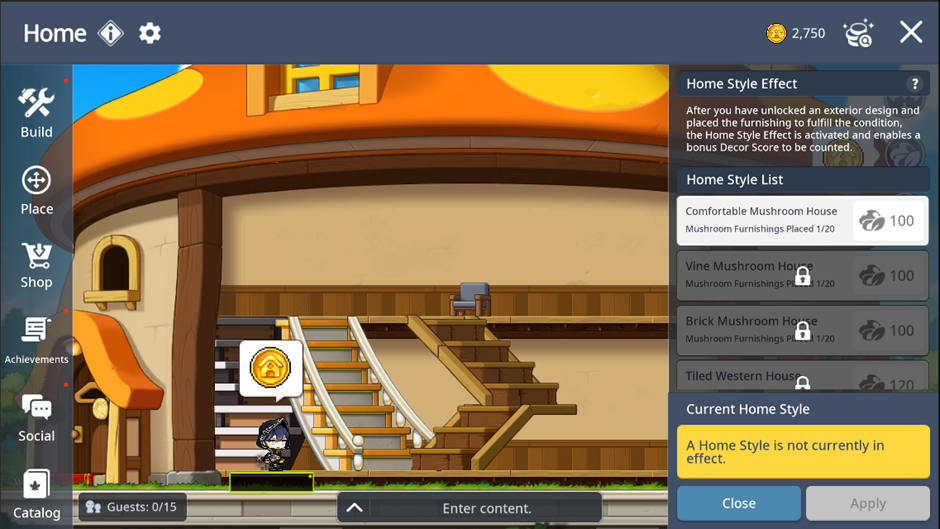
[Home Style List]
- Obtain exterior design ► Place applicable furnishings ► Home Style Effects become usable in the order they were applied
| Step | Image | Status |
| 1 |
| Menu locked before obtaining exterior design |
| 2 |
| Menu unlocked after obtaining exterior design |
| 3 |
| Enough applicable furnishings are placed (Now available to be applied.) |
| 4 |
| Menu is selectable and Apply button appears. |
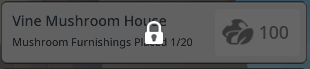
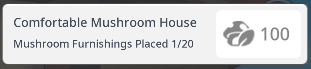
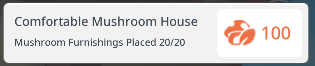
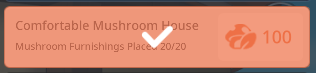
- Tap the Apply button to earn the additional Decor Score.
05. Social
▶ Visiting and Friends List
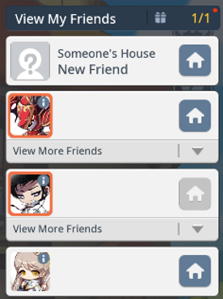
- You can view the list of your friends who have a Home in the [Social] > [Friends] menu.
※ Setting your [Home] as Public allows your friends to visit.
- You can enter the Home of your friends or Amy and tap the Chat Ring above the character's head to obtain 50 Home Coin once a day.
- Tap another player's house to visit their Home in the same world.
▶ Guest Book
- You can visit a friend's Home and leave a Guest Book.
- You can view the Guest Books left in your Home in [Social] > [Guest Book].
▶ Invite
- You can invite your friends, guild members, or recent party members to your Home.
- You cannot invite players currently playing in Dungeons.
- You can kick out players in your Home in [Social] > [Player List] > [Guests].
▶ Achievements
- You can complete achievements by purchasing furnishings or using Home content.
- Achievements are completed on an account basis.
- Achievement rewards will be sent to your shared mailbox.
▶ Catalog
- You can view furnishings of each style.
- If you obtain all furnishings of a certain style, you can receive a catalog reward.
- Rewards will be sent to your personal mailbox.
More from this series
This Guides entry belongs to MapleStory M. Related pages below keep this series separate from other MapleStory games.
Source and verification
MPStorys shows the readable on-site body above. The source page remains attached only as a citation and update trail.
MapleStory M Official News