

摘要
“21 Home” is an official guide from MapleStory M Official News on 2023-03-15. Its canonical Nexon thread and publication metadata are retained for source-backed verification.
正文
01. What is [Home]?
[Home] is a space where you can place furnishings and change exterior decorations.
- The [Home] quest is activated upon reaching Lv. 150.
- Select [Menu] > [Home] to enter your Home.
- If one of your characters has already activated a [Home] by completing the Home quest, other characters from that world can use [Home] without completing the prerequisite quest.
- Tap the inside of your [Home] to move your character there.
- Homes can be created once per World, and not shared between Worlds.
|
How to Use [Home] |
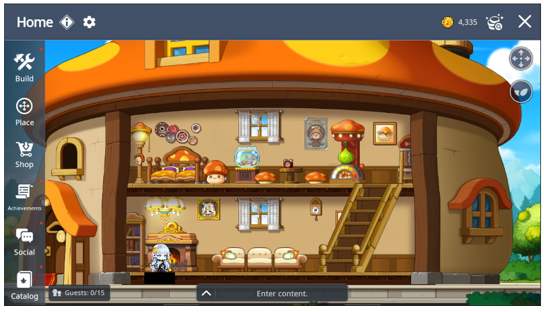
| Menu | Description | |
|
| Build | Home [Expansion] and Change [Exterior Design] |
|
| Place | Place furnishings and characters |
|
| Shop | Purchase furnishings with Home Coins |
|
| Achievements | Claim achievements and achievement rewards |
|
| Social | Create Guest Book and Invite Friends |
|
| Catalog | View your furnishings and exterior designs |
|
| Camera Pans | Move Screen Feature Settings |
|
| Decor Score Rewards | View Decor Score Reward Stage Info |
|
| Style Effect | View Exterior designs style effects’ info |


01. Build
▶ Expand
- You can use the [Expand] feature to expand your Home in [Build] > [Expand]
- Your Decor Score must be higher than 50 to use the feature.
- The following features are applied upon expansion.
| Function | Before Expansion | After Expansion |
| Floor Expansion | Floor 1 | Floor 2 |
| Placeable Characters | 2 Characters | 4 Characters |
| Exterior Design | Cannot be changed | Can be changed |
| Max Visitors | 5 Characters | 15 Characters |
| Placeable Tiles | Floor 1 - 16x6 Tile | Floor 1 - 24x6 Tile Floor 2 - 24x6 Tile |
▶ Exterior Designs
- You can change your Home's exterior in [Build] > [Exterior Design]
- You can use this feature upon expansion.
02. Place
▶ Furnishings
- You can place your furnishings wherever you'd like in the [Place] > [Furnishing] tab.
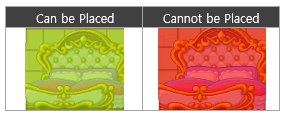
- Wall Art and Floor furnishings can be placed in the same tile, but plain furnishings cannot. You can confirm if the furnishing can be placed in a location as shown below.
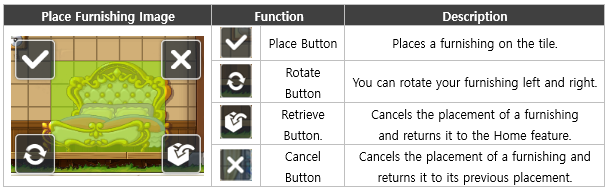
- Furnishings are categorized as 'Floor furnishings' and 'Wall furnishings'. 'Floor furnishings' must be placed on the Home's floor tile.
- Your Home Decor Score is increased based on the Decor Score of your placed furnishings.
▶ Characters
- You can place your other characters within the same world in your Home via the [Place] > [Character] tab.
- Only characters Lv 150 or higher can be placed.
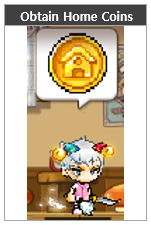
- You obtain 50 [Home Coins] per placed character. (Resets every day at 00:00.)
03. Shop
You can purchase furnishings from the [Shop] > [Furnishing Shop] tab.
▶ Style Shop
- You can purchase small and large furnishings of each style in the Style tabs.
- Upon purchase, 1 furnishing of that style and size will be selected and delivered to your Home Bag based on set rates. Deliveries will take 3 hours for small furnishings and 6 hours for large furnishings.
▶ Misc Furnishing Shop
- Other purchases can be made in a Shop selling ladders and stairs.
- You can obtain the furnishings you select immediately. There'll be no delivery time.
04. Decor Score
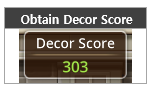
- Place a furnishings to obtain its Decor Score.
▶ Decor Score Rewards
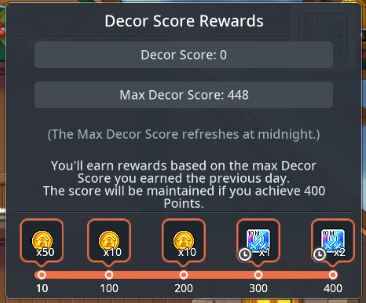
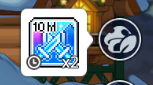
- With the acquired Decor Scores, you can receive the highest-available stage’s rewards the next day after 00:00, which is claimable once per day.
- You can earn a reward once per day based on the highest Decor Score you achieved the previous day. The reward will correspond to the highest reward tier available for that score.
- Decor Score stage rewards can be viewed by tapping the Decor Score menu to display the Decor Score pop-up.
| Decor Score Rewards Pop-up | Decor Score Reward |
|
|
|
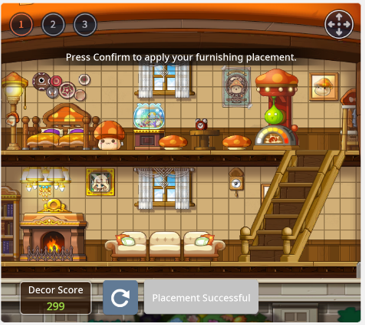
- The real-time Decor Score can be checked via the [Place] > [Furnishing] menu and in the Decor Score Rewards popup displaying the current score.
- The current Decor Score is the total score of all furniture currently placed.
- The maximum Decor Score is recorded at 00:00 and remains unchanged even if you modify your furniture layout afterward.
▶ Home Style Effects
- Unlocked when you expand your Home. Tap the Home Style menu in the Home UI to use it.
| Menu Before Expansion | Menu After Expansion |
|
|
|
| Menu Unavailable | Menu Available |


- Tap the Home Style menu to display the Home Style pop-up on the right side of the Home UI.
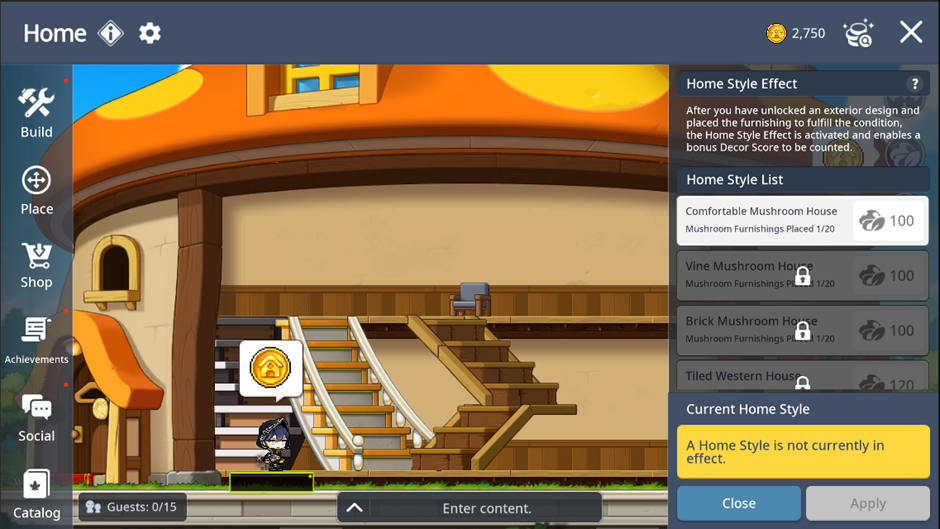
[Home Style List]
- Obtain exterior design ► Place applicable furnishings ► Home Style Effects become usable in the order they were applied
| Step | Image | Status |
| 1 |
| Menu locked before obtaining exterior design |
| 2 |
| Menu unlocked after obtaining exterior design |
| 3 |
| Enough applicable furnishings are placed (Now available to be applied.) |
| 4 |
| Menu is selectable and Apply button appears. |
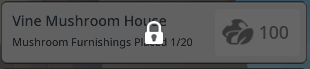
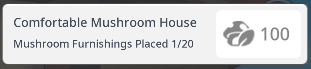
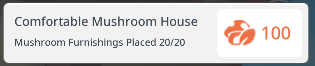
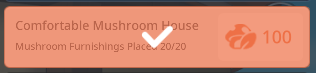
- Tap the Apply button to earn the additional Decor Score.
05. Social
▶ Visiting and Friends List
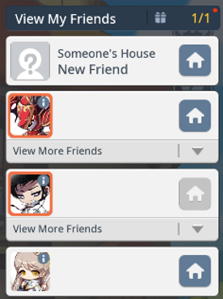
- You can view the list of your friends who have a Home in the [Social] > [Friends] menu.
※ Setting your [Home] as Public allows your friends to visit.
- You can enter the Home of your friends or Amy and tap the Chat Ring above the character's head to obtain 50 Home Coin once a day.
- Tap another player's house to visit their Home in the same world.
▶ Guest Book
- You can visit a friend's Home and leave a Guest Book.
- You can view the Guest Books left in your Home in [Social] > [Guest Book].
▶ Invite
- You can invite your friends, guild members, or recent party members to your Home.
- You cannot invite players currently playing in Dungeons.
- You can kick out players in your Home in [Social] > [Player List] > [Guests].
▶ Achievements
- You can complete achievements by purchasing furnishings or using Home content.
- Achievements are completed on an account basis.
- Achievement rewards will be sent to your shared mailbox.
▶ Catalog
- You can view furnishings of each style.
- If you obtain all furnishings of a certain style, you can receive a catalog reward.
- Rewards will be sent to your personal mailbox.
此系列的更多內容
這筆攻略內容僅屬於 MapleStory M。下方相關頁面也按此系列獨立整理,不會與其他 MapleStory 作品混用。
來源與核驗
上方已在本站顯示可閱讀正文;來源頁面只作為引用與後續更新核驗。
MapleStory M Official News