

Summary
Official instructions for applying equipment scrolls and seals through Forge, including registration order, effect preview, supported scroll categories, equipment restrictions, and probabilistic-result warnings.
Article body


Introduction to Scroll
Star Force, basic options, potential scrolls, emblem potential scrolls, equipment options, exaltations, mastercrafts, and more various functional scrolls can be used at the Forge.
How to Use
▶ [Inventory > Scrolls or Stamps > Select Item > Forge]
▶ Or [Menu > Forge > Scrolls]
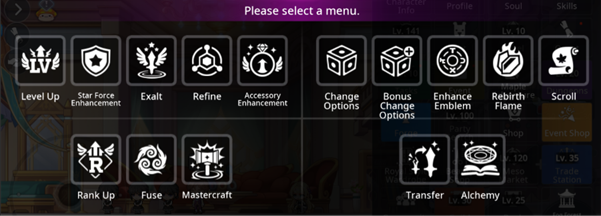

How to Use Scrolls and Seals
▶ Step 1.
- Register the equipment you want to use a scroll on, or the scroll you want to use.
- Once equipment is selected, you can check available scrolls in the list.
- Once a scroll is registered, you can check the available equipment from the list.
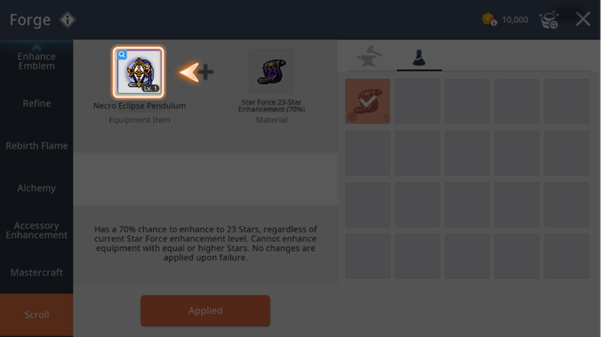
▶ Step 2.
- Select the scroll you want to use, or the equipment you want to use the scroll on.
- When selected, you can check the scroll's applied effects.
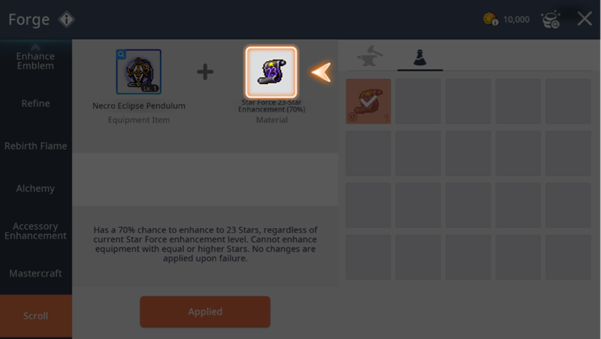
▶ Step 3.
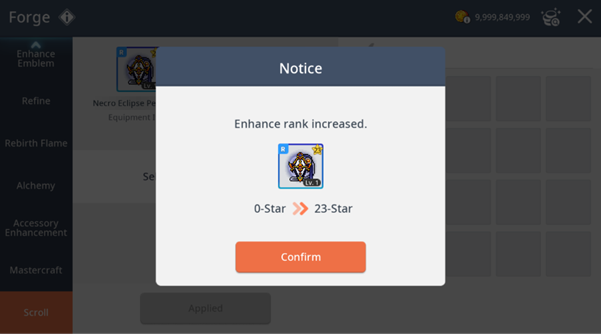
- Press the [Apply] button to use the scroll.
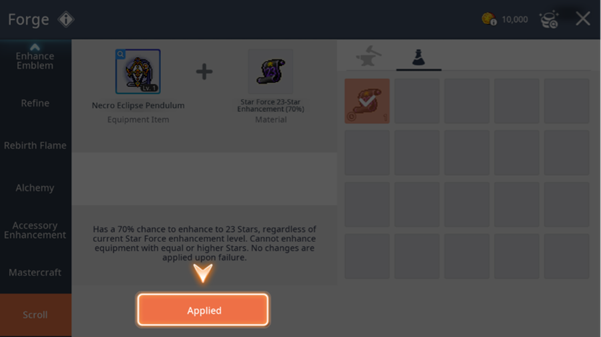
Precautions
▶ Some scrolls may have usage restrictions based on equipment conditions.
▶ Results may be determined probabilistically depending on the scroll type.
More from this series
This Guides entry belongs to MapleStory M. Related pages below keep this series separate from other MapleStory games.
Source and verification
MPStorys shows the readable on-site body above. The source page remains attached only as a citation and update trail.
MapleStory M Official News