 MapleStory NGLB
[Community] Messages

Summary
“[Community] Messages” is an official guide from MapleStory N Official Beginner's Guides on 2024-11-20. Its canonical Nexon thread and publication metadata are retained for source-backed verification.
Article body
Messages
Table of Contents
-
Sending Messages
-
Inbox
1. Sending Messages
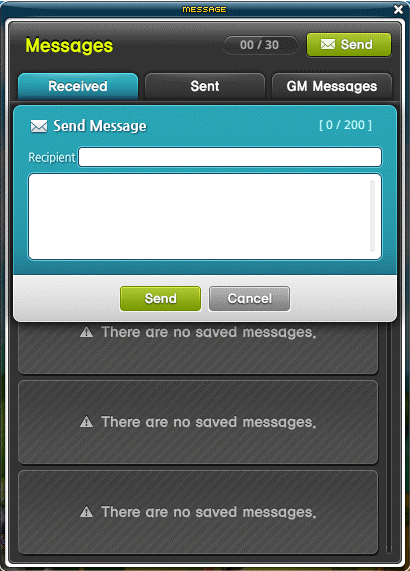
The Message feature allows you to exchange messages with other players in the game.
After logging in, click on the Community menu at the bottom of the screen and then press the Message menu.
-
Click the Send button to send your message.
-
Messages can be up to 100 characters long.
1.1. Messaging Restrictions
Each character can send up to 3 messages a minute. If you send 3 messages within a minute, your 3-message limit will recharge 1 minute after the last message was sent.
Additionally, each character can send up to 20 messages.
2. Inbox
2.1. Received
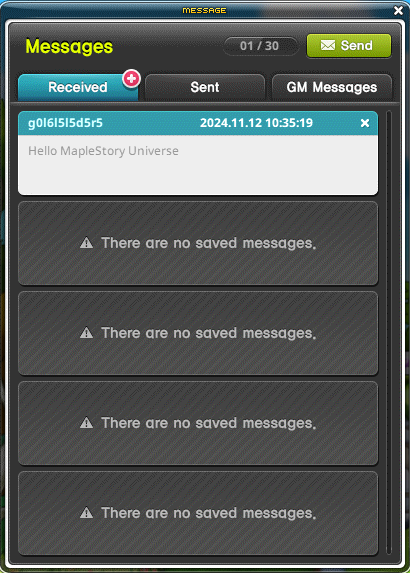
- Allows you to check messages sent by other characters.
- A + icon displays whenever you have an unread message, as shown in the image below.
- You can store up to 30 messages, excluding system messages such as invitations.
2.2. Sent
Allows you to check messages you sent to other characters.
2.3. GM Messages
Allows you to check messages sent by the administrator.
More from this series
This Guides entry belongs to MapleStory N. Related pages below keep this series separate from other MapleStory games.
Source and verification
MPStorys shows the readable on-site body above. The source page remains attached only as a citation and update trail.
MapleStory N Official Beginner's Guides